Never lose a receipt.
Or the HST on it.
Two seconds at the counter. Nabbit reads the vendor, amount, tax, and registration number automatically. By the time you're back in the truck, it's categorized and ready for Google Drive or QuickBooks.
Your bookkeeper sees it instantly, so you look like the organized one when the books close. The CRA can see it in six years. Either way, the proof is there.
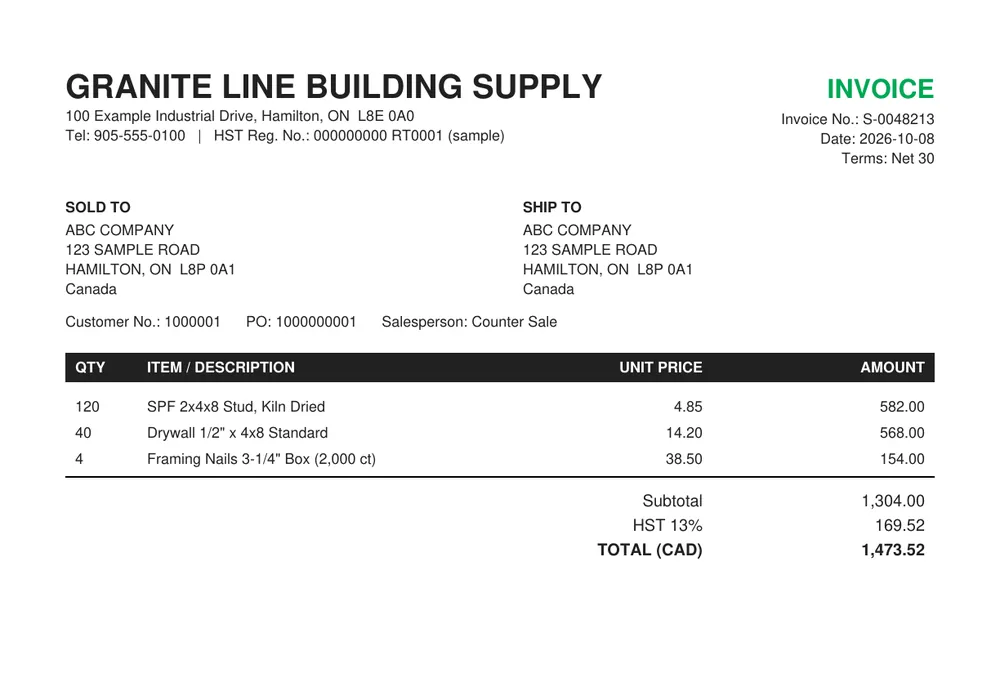
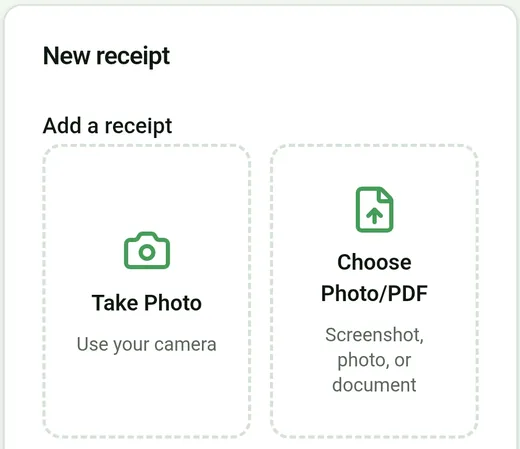
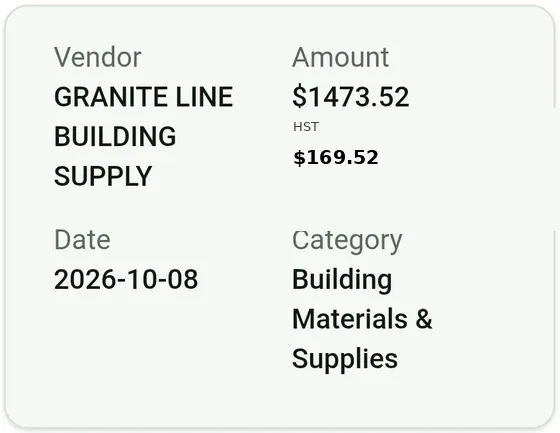
Nabbed. Sorted. Done.
Three steps. No double entry. No lost receipts. No month-end scramble.
Snap or drop
Take a photo on your phone, or drag and drop on your computer. However you get receipts, Nabbit is ready.
Nabbit does the work
Nabbit reads the merchant, amount, date, and tax from the photo, then suggests the right expense category automatically. You just confirm and go.
Sync and close
Expenses flow directly to QuickBooks Online. Your bookkeeper gets everything they need, with nothing to re-type.
Built for Canadian small business.
Nothing else.
One-tap capture
Snap a photo the moment you pay. Nabbit reads the merchant, amount, date, and HST automatically. No typing, no filing, no forgetting.
Smart categorisation
Nabbit suggests the right expense category for every receipt automatically, so filing takes seconds instead of minutes.
CRA-ready records
Every receipt stored in full resolution and retrievable in seconds if the CRA ever comes calling. Your records stay as long as you keep them.
QuickBooks Online sync
Push expenses directly to QuickBooks Online. No double-entry, no copy-paste errors. Your bookkeeper gets clean, categorised data automatically.
Team approval workflow
Field staff snap receipts, admins review and approve. Everyone sees only what they should — your data stays private to your company.
HST auto-flagging
Every receipt is automatically checked for HST/GST. Missing tax info gets flagged before it becomes a problem at filing time.
“Nabbit has saved our team hours of manual entry every month. Receipts go straight to QuickBooks, and our accounting team loves it.”
Nabbit is also listed on Capterra Canada, Capterra and G2.
Simple, transparent pricing.
No surprises.
All plans include a 14-day free trial. No credit card needed to start. You only pay if you choose to subscribe.
Not sure which plan fits? Email hello@nabbit.ca — a real person replies.
CA$14.99 a month is less than the cost of one lost Input Tax Credit — and the Team plan is one flat price for your whole crew, no per-user metering.
Best for individuals and freelancers. Just your own receipts, captured and organised — no accounting software needed.
- ✓ One person, one account
- ✓ Snap a photo, Nabbit reads the receipt
- ✓ Receipts saved to your Google Drive
- ✓ Running tracker spreadsheet, built for you
- ✗ No QuickBooks connection
Best for small businesses. Priced per user, per month — add people as you grow. Cancel any time.
- ✓ Unlimited receipts
- ✓ Automatic receipt reading & sorting
- ✓ Review & approve before anything posts
- ✓ Expense accounts & job tracking
- ✓ Sends expenses straight to QuickBooks
Best for teams of 5–7. One flat monthly price for up to 7 people — simpler than paying per user. Extra seats available at $9.99/user/mo.
- ✓ Everything in Business
- ✓ Up to 7 people included
- ✓ One flat price (no per-user charges)
- ✓ Priority support
- ✓ Personal onboarding help
Less receipt stress.
Better books.
“Nabbit has helped us manage multiple budgets, reimbursements and receipts across a wide range of users. Receipts are easily organized and captured, and we no longer have to hound people for receipts.”
“We utilized Nabbit to help with receipt management. Sales staff were always losing their receipts. With Nabbit, they could take a picture at the time of an expense and then forget about it. Accounting, meanwhile, had everything they needed, and we were all happy!”
“Nabbit has saved our team hours of manual entry every month. Receipts go straight to QuickBooks, and our accounting team loves it.”
Built by the Nabbit
Dedicated CPA Team.
Nabbit was built out of frustration. After years of watching small business owners lose deductions, miss receipts, and spend their weekends reconciling paper stubs, we decided to fix it.
We're a Canadian company. Our product is built for Canadian tax rules — CRA compliance, HST/GST, QuickBooks integration — not bolted on after the fact.
The name? "Nab it" — to seize suddenly. Like a rabbit snatching something up before it disappears. That's what Nabbit does to your receipts.
Get in touch →Up and running in under 10 minutes.
Three short videos that walk you through everything — from creating your account to your first receipt synced to QuickBooks.
Frequently asked questions
What happens after my 14-day free trial?
You don't need a credit card to start. When the 14 days end, your account locks until you subscribe. Nothing is deleted, and you can pick a plan any time to pick up where you left off.
Do I need to install anything?
No. Nabbit runs in your web browser on any computer, tablet, or phone — just sign in at app.nabbit.ca. On your phone, you can add it to your home screen so it works like an app.
How do I get receipts into Nabbit?
Take a photo with your phone, or drag and drop a file on your computer. Nabbit reads the vendor, date, amount, and tax automatically — you just confirm the details.
Does it work with QuickBooks?
Yes, on Business and Team plans. Nabbit sends approved expenses directly into QuickBooks Online — no re-typing, no importing files. The Personal Use plan doesn't include QuickBooks; instead your receipts are saved to your own Google Drive with a running tracker spreadsheet.
Does someone review receipts before they post to QuickBooks?
Yes. Every receipt sits in a Pending queue until an admin or bookkeeper reviews, codes, and approves it, individually or in bulk. Nothing reaches QuickBooks without a human sign-off first.
What if a receipt gets lost or never gets captured?
Admins can upload a full credit card statement at any time. Nabbit checks every line against what's already been captured and creates a placeholder for anything missing, so a lost or forgotten receipt never falls through the cracks. If your QuickBooks bank feed already pulls in the same transaction, Nabbit matches them instead of creating a duplicate.
Can I cancel anytime?
Yes. Cancel from your Billing page in two clicks. You keep access until the end of the period you've paid for, and you're never charged again after that.
Is my data safe?
Yes. Here's exactly how your data is protected:
- Storage location: Your receipts and extracted data are stored in Anthropic-hosted cloud infrastructure (AWS Canada region). On the Personal Use plan, receipt images also sync to your own Google Drive — you own the files directly.
- Isolation: Every company in Nabbit is fully isolated at the database level using row-level security. No other Nabbit customer can query or view your data — not even Nabbit staff without explicit audit trail.
- Access controls: You control who can access your account. Invite your bookkeeper or accountant with read-only or reviewer permissions; remove them at any time from your Team settings.
- Export & portability: You can export all your receipt data as CSV or PDF at any time from your dashboard. If you cancel, your export is available for 30 days before data is purged.
What if I need help?
Email hello@nabbit.ca and a real person will get back to you. No chatbots, no ticket queues.
Will my bookkeeper know how to use Nabbit?
Yes — bookkeepers pick it up in minutes. Nabbit is built around a simple approve/reject workflow that accountants find familiar. Your bookkeeper gets a clean dashboard showing every receipt your team has captured, with vendor, amount, tax, and GL account already filled in. Many of our customers set Nabbit up themselves and then invite their bookkeeper as a reviewer. If your bookkeeper has questions, we're happy to walk them through it — just email hello@nabbit.ca.
What happens to my data if I cancel?
Your data stays accessible for 30 days after cancellation so you can export everything. All receipts can be exported as a CSV, and your original receipt images are stored in your Google Drive or SharePoint — so they're yours regardless of your Nabbit subscription. We don't hold your records hostage. CRA requires 6 years of records, and we make sure you can always get to them.